
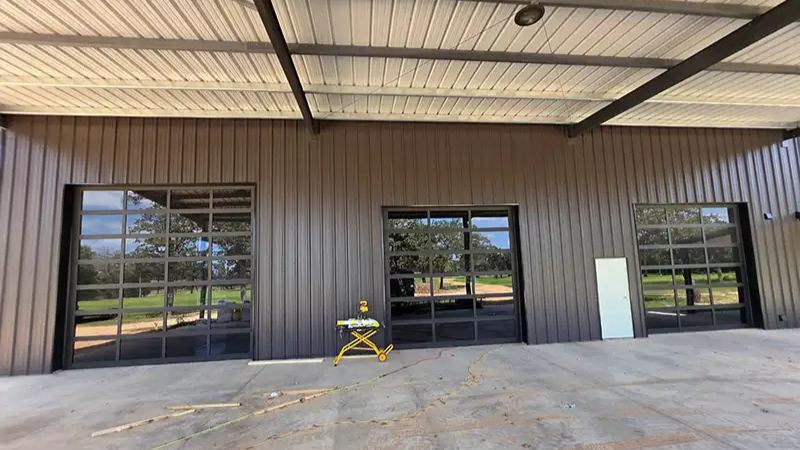
A garage door opener remote makes it easy to open and close your garage door without leaving your vehicle. Whether you have purchased a new remote, replaced an old one, or need to reconnect a remote after a power outage, learning how to program it can save you time and effort. Although the process is usually straightforward, the exact steps depend on your garage door opener’s brand and model.
Most modern garage door openers use a learning button that allows the motor unit to recognize a compatible remote. Some older systems use DIP switches or other programming methods. Before starting, check your owner’s manual to identify the correct procedure for your equipment.
In this guide, you will learn how to program a garage door opener remote, troubleshoot common problems, and maintain your system for reliable operation.
What You Need Before Programming a Garage Door Opener Remote
Before programming your remote, gather the necessary equipment and information. Preparation can help prevent mistakes and make the process easier.
First, make sure you have a compatible remote control. Not every remote works with every garage door opener, so check the supported frequency, technology, and model compatibility. If you are buying a replacement, consult the manufacturer’s compatibility guide.
You should also locate the garage door opener motor, which is commonly mounted on the ceiling of the garage. Depending on the model, the learning button may be on the motor unit’s side, rear, or beneath a light cover.
Keep the owner’s manual nearby if possible. It can provide the exact instructions for your system and explain how to identify the programming button.
Finally, ensure the garage doorway is clear of people, pets, vehicles, and other obstacles. Programming should always be performed with safety in mind.
Step 1: Locate the Learn Button on Your Garage Door Opener
The first step is to find the learning button on the opener motor. This button allows the opener to enter programming mode and pair with a compatible remote.
Depending on the manufacturer, the button may be labeled Learn, Program, or something similar. Its color and location vary between models, so do not rely on button color alone to identify it.
You may need to remove a light cover or access panel to see the button. Follow the manufacturer’s instructions when opening any cover, and avoid touching electrical wiring or internal components.
Once you locate the button, check the owner’s manual to understand how long it should be pressed. On many models, a brief press activates programming mode, while holding the button for too long may erase existing remote controls or keypads.
Step 2: Activate Programming Mode
After locating the learning button, prepare the opener to receive the remote’s signal.
On many compatible models, pressing and releasing the Learn button causes an indicator light to illuminate or flash. This indicates that the opener has entered programming mode and is ready to pair with a remote.
The available programming window may last only a short time. For this reason, keep the remote nearby before pressing the button.
Follow the instructions for your specific model rather than assuming that every opener uses the same sequence. Some systems require a different button combination or programming method.
Avoid repeatedly pressing buttons without checking the manual. Incorrect actions can interrupt the process or change existing settings.
Step 3: Pair the Remote With the Opener
Once programming mode is active, you can pair your compatible remote with the garage door opener.
Press and hold the button on the remote that you want to use for operating the garage door. Depending on the model, you may need to press the button once or several times.
Watch the indicator light on the motor unit. A flashing light, a change in the indicator’s behavior, or a clicking sound may confirm successful pairing. The exact confirmation method depends on the manufacturer.
When the remote is paired, wait for the programming process to finish. Avoid holding the Learn button unless the manual specifically instructs you to do so.
If the remote does not pair on the first attempt, consult the manual and repeat the process carefully. Make sure the remote is compatible and that its battery is working correctly.
Step 4: Test the Garage Door Opener Remote
Testing confirms whether the remote has been programmed correctly.
Stand in a safe position where you can see the entire garage door. Keep people, pets, and objects away from its path before pressing the remote button.
Press the programmed button once and observe the door. If the system is working correctly, the door should respond according to its normal operation.
Test the remote from a suitable distance within the manufacturer’s recommended range. If the door operates only when you stand very close to the opener, the remote battery, antenna, or radio signal may need attention.
Never assume that programming has been successful until you have tested the remote safely. If the door moves unexpectedly or fails to stop correctly, discontinue use and arrange an inspection.
How to Program Older Garage Door Opener Remotes
Not all garage door openers use a modern learning button. Some older models rely on DIP switches, which are small physical switches inside the remote and opener receiver.
For these systems, the switch positions must match the configuration specified by the manufacturer. The exact number of switches and their arrangement vary by model.
Before changing any settings, disconnect power if the manufacturer’s instructions require it, and avoid touching exposed wiring. If the receiver is integrated into the opener, follow the appropriate service instructions.
Older systems may also use fixed-code technology, which can offer fewer security protections than modern rolling-code systems. If your equipment is outdated, consider asking a qualified garage door technician whether an upgrade would improve compatibility and security.
Common Garage Door Remote Programming Problems
Sometimes, a garage door opener remote will not pair or operate the door even after you follow the correct steps. Understanding the common causes can help you identify the next action.
The Remote Battery Is Weak
A weak or depleted battery can prevent the remote from transmitting a strong signal. Replace it with the correct battery type and ensure it is installed in the proper direction.
If the remote has an indicator light, check whether it illuminates when you press a button. However, a light alone does not guarantee that the remote is transmitting correctly.
The Remote Is Not Compatible
Different garage door openers use different frequencies, coding systems, and security technologies. A remote designed for one model may not work with another.
Check the opener’s model number and consult the manufacturer’s compatibility information before purchasing a replacement.
The Programming Window Has Expired
Some openers remain in programming mode for only a limited period. If you wait too long before pressing the remote button, the pairing attempt may fail.
Repeat the procedure from the beginning, following the correct timing described in the manual.
The Signal Is Weak or Interfered With
Radio interference, a damaged antenna, or a failing receiver can affect remote performance. Try operating the remote from different positions within the recommended range.
Keep the opener antenna unobstructed and away from sources of interference where practical. If the issue continues, a technician can inspect the receiver and related components.
The Opener Has an Electrical or Mechanical Problem
Sometimes the remote is working correctly, but the garage door does not move because the opener has another fault. Check the power supply and look for visible obstructions without touching moving parts.
If the motor makes unusual noises, the door moves unevenly, or the system repeatedly stops, professional inspection may be necessary.
Garage Door Remote Safety and Security Tips
Garage door remotes provide convenient access to your property, but they should be handled carefully.
Keep remotes secure and avoid leaving them in an unlocked vehicle where they can be easily accessed. If a remote is lost or stolen, consult the manufacturer’s instructions for removing its access from the opener. Some models allow you to erase all programmed remotes and pair only the devices you still use, but this may require programming every authorized remote again.
Never hold the Learn button for an extended period unless the manual directs you to do so. On many models, a long press erases stored remote codes.
You should also test the opener’s safety reversal system and photoelectric sensors according to the manufacturer’s instructions. Keep children away from moving doors and never allow them to play with remote controls.
If you notice damaged cables, broken springs, or a door that feels unusually heavy, stop operating it and contact a qualified technician. These components can cause serious injuries if handled incorrectly.
When Should You Contact a Garage Door Professional?
Although programming a remote is often a simple task, some situations require professional help.
Consider contacting a technician if the remote is compatible and has a fresh battery but still will not pair. Professional assistance may also be necessary when the opener’s receiver appears faulty, the programming button is inaccessible, or the system has electrical problems.
A technician can check the remote, receiver, antenna, and opener settings to identify the cause of the issue. They can also help you choose a compatible replacement remote or determine whether an older opener should be upgraded.
If you need assistance with garage door opener programming, repairs, or maintenance, Contact Us to discuss your requirements and find an appropriate solution for your garage door system.
Conclusion
Learning how to program a garage door opener remote can make everyday access to your home easier and more convenient. For many modern systems, the process involves locating the Learn button, activating programming mode, pairing the compatible remote, and testing the door safely.
However, programming methods vary by brand and model, so always follow the manufacturer’s instructions. Check the remote battery, confirm compatibility, and troubleshoot common signal problems if pairing fails.
Most importantly, prioritize safety during every step. Keep the door’s path clear, protect your remote from unauthorized access, and seek professional help when the opener or door shows signs of damage. With the right approach, you can keep your garage door remote working reliably and maintain secure access to your property.